 ROSM
ROSM Account Deletion
We prioritize the security of your data. We do not share user data with anyone. If you have any issues or concerns, please use the contacts details to contact us. You can also delete your account. Follow these steps to delete your account:
Step 1: In Dashboard Navigate to Logout Option
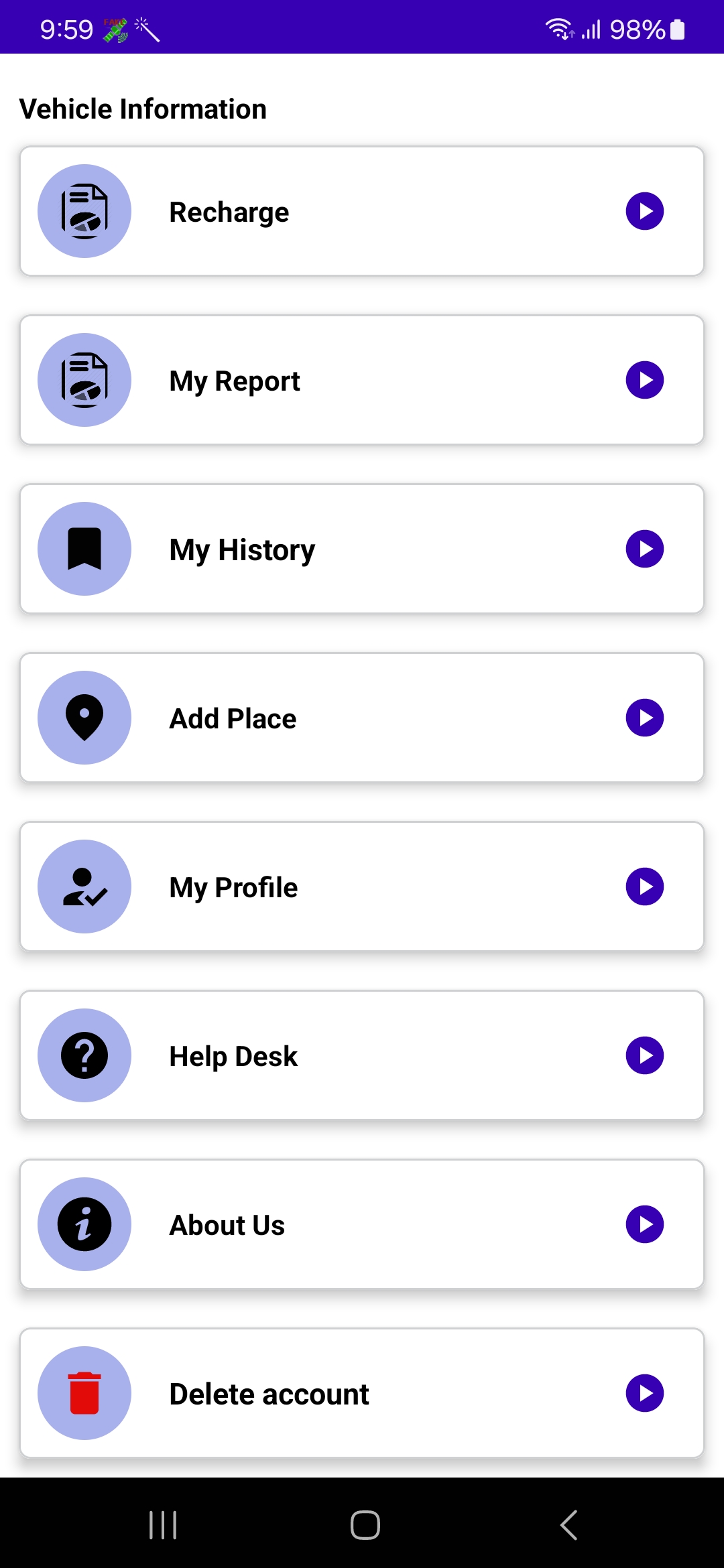
To delete your account, log in to the mobile application. Scroll to the bottom of the dashboard, where you will find the 'Delete Account' option.
Step 2: Select 'Delete Account'
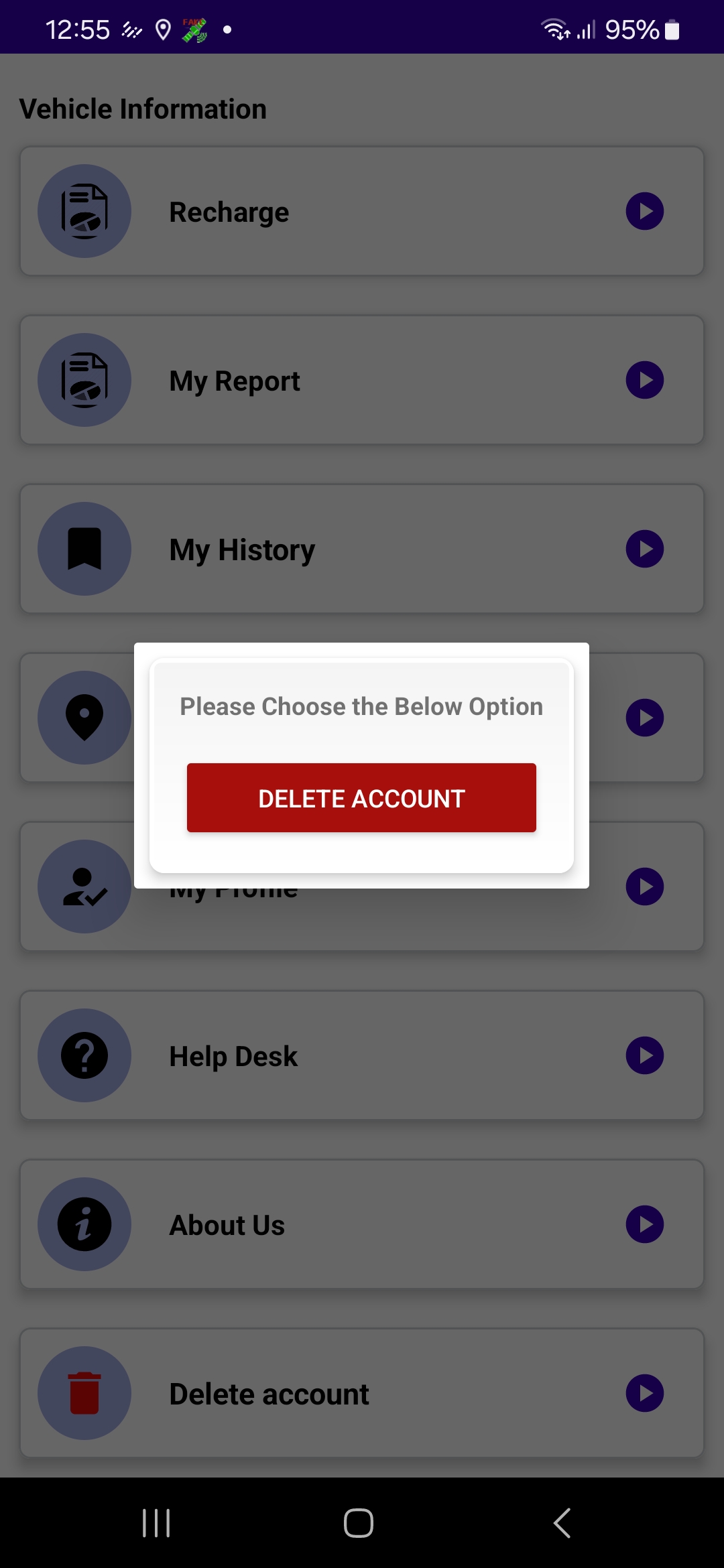
Once you click the first 'Delete Account' option, a dialog box will open. Inside this box, you'll need to find and click the 'Delete Account' option again to proceed.
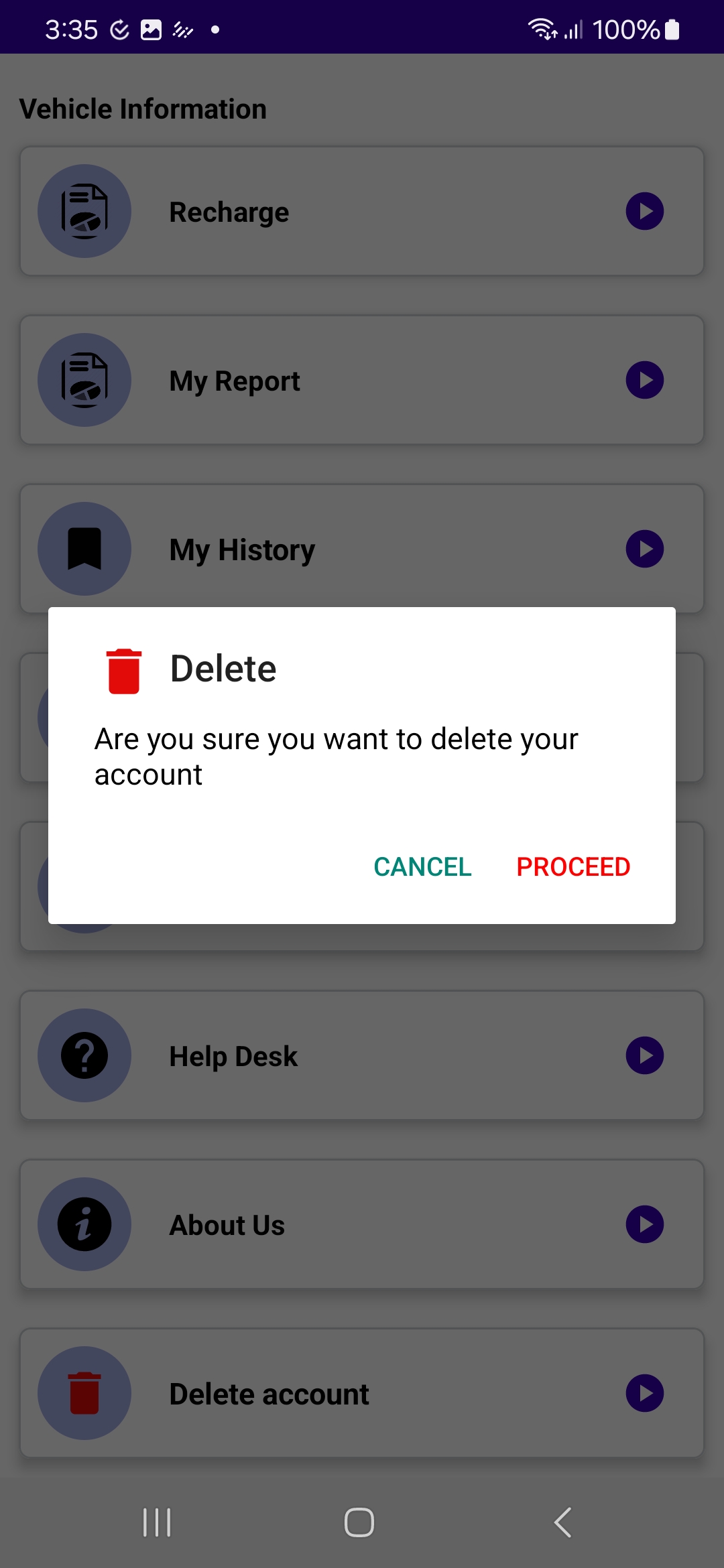
Step 3: Confirm Account Deletion
A confirmation dialog will appear asking if you're sure you want to delete your account. Confirm your choice by clicking 'Yes, Proceed'.
Step 4: Enter OTP for Verification
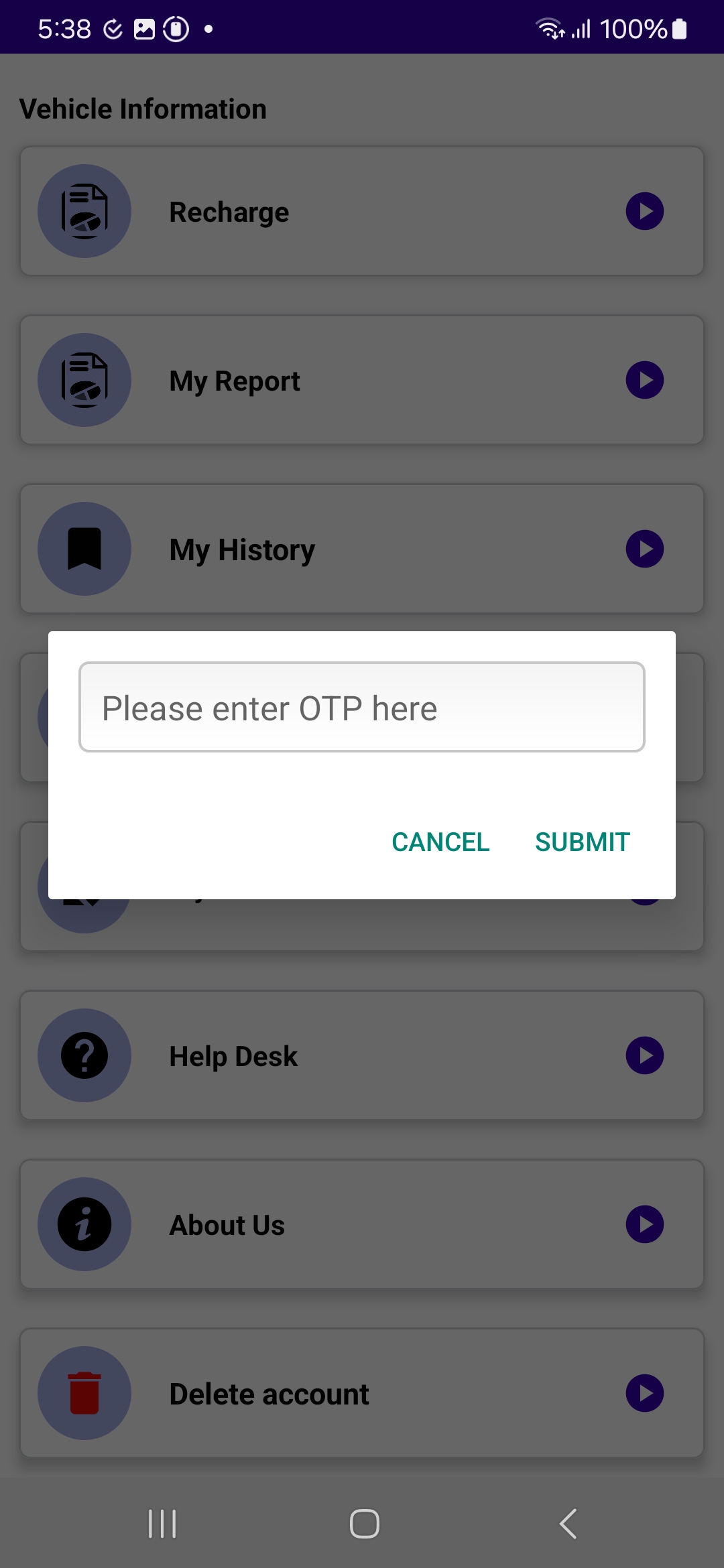
To verify your request, you will receive an OTP (One-Time Password) to your registered email or phone number. Enter this OTP on the verification page to proceed.
Step 5: Submit and Complete Account Deletion
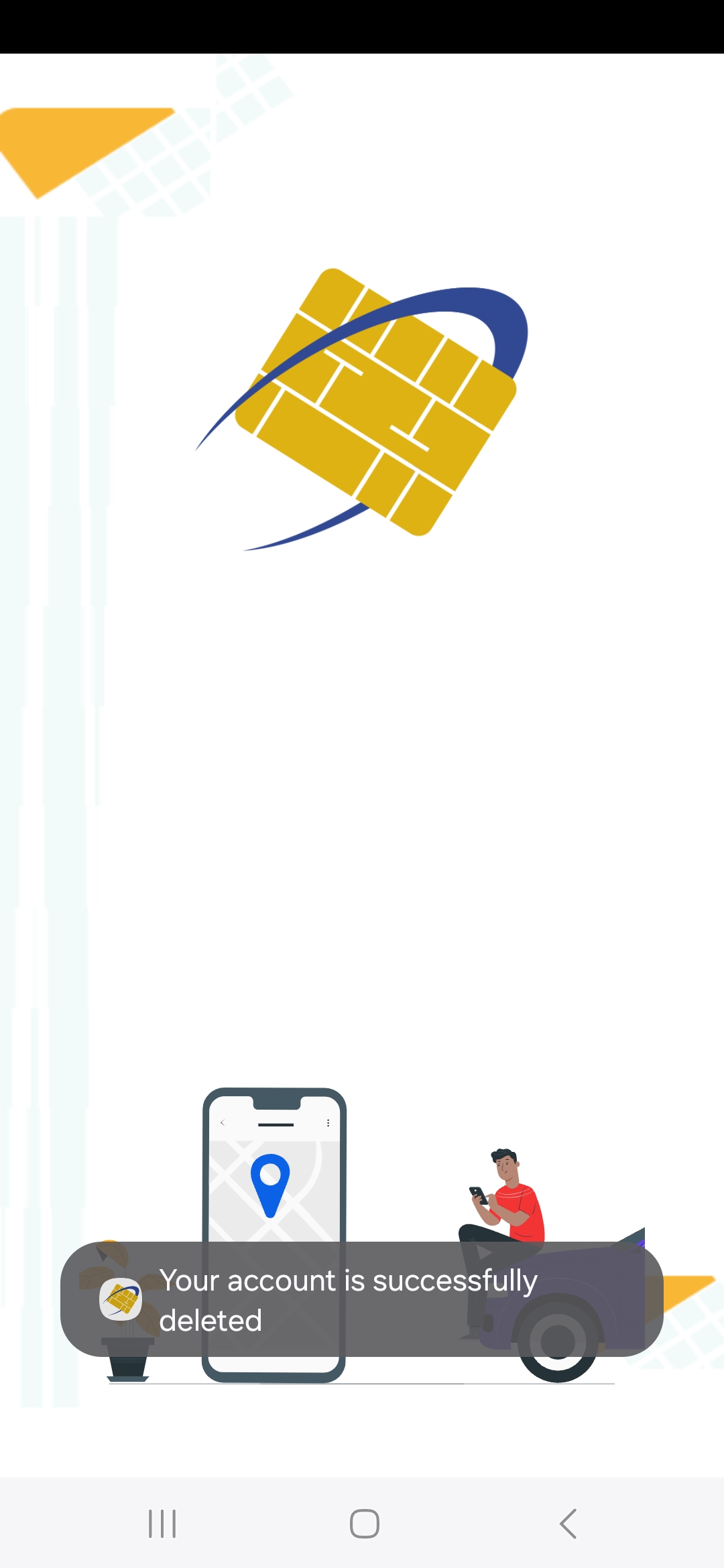
After entering the OTP, submit the form to finalize the account deletion. You will receive a confirmation message indicating that your account has been successfully deleted.